
Export X threads & articles as clean Markdown or PDF — or send them straight to Obsidian.
Clip a single post, or your entire Bookmarks, Likes, or a Profile in one batch. Six formats from one typed Content AST, so nested threads, quote-tweets, polls, and long-form Articles come out clean — with images, video, and GIFs saved as real files beside the text, or packed into one .zip. No API keys. Nothing leaves your browser.
Free · Source-available · 100% local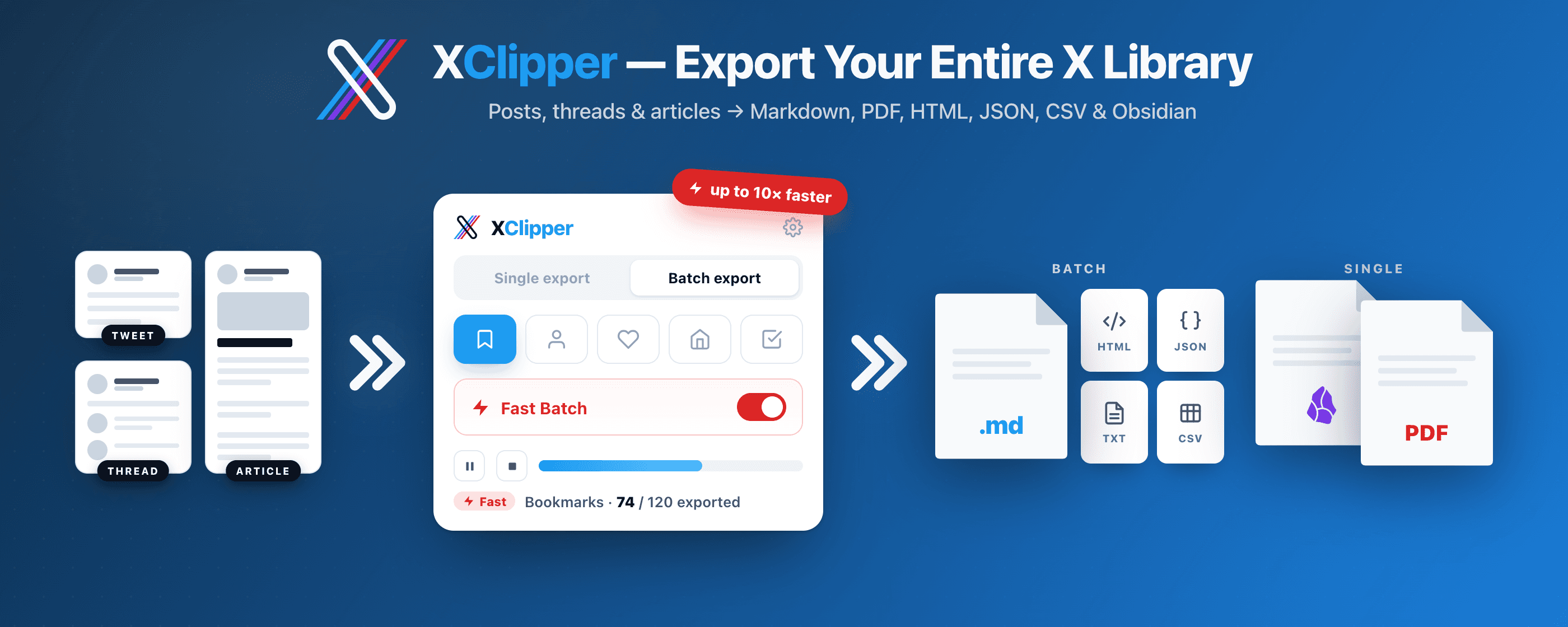
Why not just print the page
Other tools screenshot the page. XClipper rebuilds the document.
"Save as PDF" from the browser captures everything you don't want, breaks across pages in the wrong places, and loses everything that made the post worth keeping.
Browser "Save as PDF" / screenshot
A page that looks like X, mangled.
- Sidebars, cookie banners, and faded "show more" overlays come along for the ride.
- Page breaks split tweets mid-sentence; a long thread sprawls across nine pages of dead space.
- Text isn't selectable, links aren't clickable, images get compressed, polls disappear.
- Result: a PDF you can't search, edit, or share without apologising for.
XClipper
A print-ready document, rebuilt from the post.
- Reads the underlying tweet, not the page chrome — no banners, no overlays, no engagement buttons.
- Smart page breaks that never split a tweet; reply chains stay in order; quote-tweets nest with
@handleattribution. - Selectable text, clickable links (with
t.coresolved), original-resolution images, polls inlined with results. - Result: a PDF you'd actually keep — plus matching Markdown when you want it in a note.
Batch export
Clip one post — or your whole library.
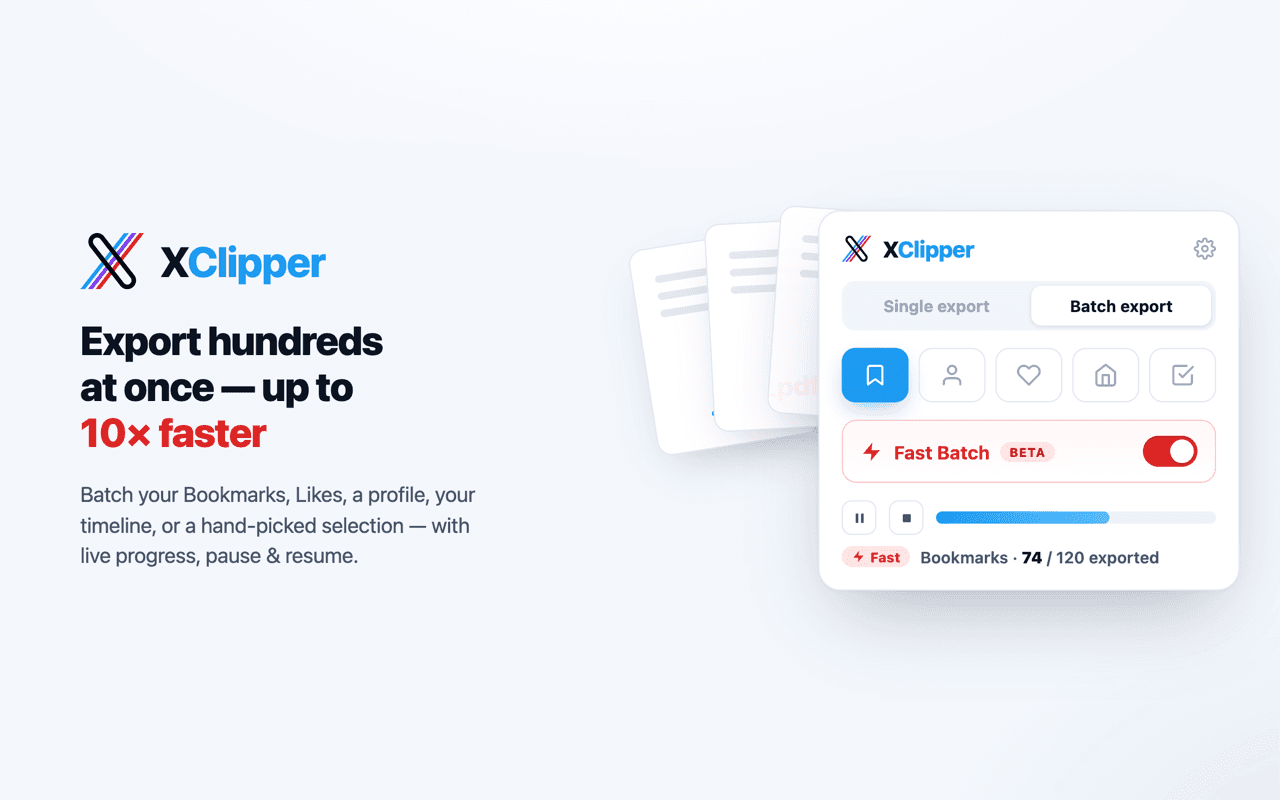
Export your entire Bookmarks, Likes, a Profile, your home Timeline, or a hand-picked Selection in a single background job — then close the popup and let it run.
- Live progress and stop anytime, plus a dedup ledger that skips what you've already saved. Scroll adds a progress bar with pause / resume; Auto Full and Auto Fast collect open-endedly and show a live count.
- Write one file per post, one file for all, or both — in any format except PDF, packed into a single .zip if you want one download.
- Three engines: Scroll saves what you scroll past, Auto Full fetches through your X session for a ~10× speed-up, and Auto Fast skips thread expansion to pull thousands in one run, resuming a large backfill across sessions.
Features
Everything you need to clip X — nothing you don't.
Built for note-takers, researchers, and the LLM-curious. One click to clean Markdown or a print-ready PDF, with all the metadata you'd want.
Batch export
Export many posts in one background job from five sources — Bookmarks, Profile, Likes, Timeline, or a hand-picked Selection. Live progress and stop anytime, with a dedup ledger that skips what you've already saved. Write one file per post, one file for all, or both — or pack the lot into a single .zip.
Three batch engines
Scroll saves every post you load as you scroll the page. Auto Full fetches through your logged-in X session instead — no scrolling, roughly 10× faster. Auto Fast skips thread expansion to pull thousands in a single run. No API key, no password, nothing leaves your browser.
Six export formats
Save any post as Markdown, PDF, HTML, JSON, TXT, or CSV — or hand it to Obsidian. Batch jobs support all formats except PDF, and CSV pairs your metadata columns with the post body.
High-fidelity Markdown
Tweets, nested threads, quoted posts, polls, link cards, and long-form X Articles converted to readable .md via a typed AST (no Turndown). Reply chains stay in order, t.co redirects resolve to the real URL, emoji and @mentions stay intact.
True PDF export
Threads and articles printed through your browser's native print engine, not screenshotted. Selectable text, clickable links, embedded images, full Unicode and emoji support.
Send to Obsidian
One-click handoff via the obsidian:// URI scheme, with an optional vault name. Obsidian-friendly frontmatter, [[@handle]] wikilinks, and customizable tags.
Images, video & GIFs as files
Set local saving to Media and each post's video or animated GIF is saved as a real .mp4 beside the Markdown — quoted posts included — with a ▶ Video link pointing at the file. On Images, embedded pictures come down the same way. Your notes survive link rot and deleted posts.
Rich YAML frontmatter
Author, handle, date, source URL, content type, and engagement stats (likes, reposts, replies, bookmarks, views). Toggle each field on or off per schema.
One file, not a folder
Turn on Zip files and a post lands as one archive holding the Markdown and its media, instead of a file plus a sibling folder you have to keep together by hand. One thing to drop into a note, an archive, or an AI chat.
How it works
Three ways to clip. Same clean Markdown and PDF.
Pick whichever entry point fits the moment. All three run the same extractor and respect the same settings.
Toolbar popup
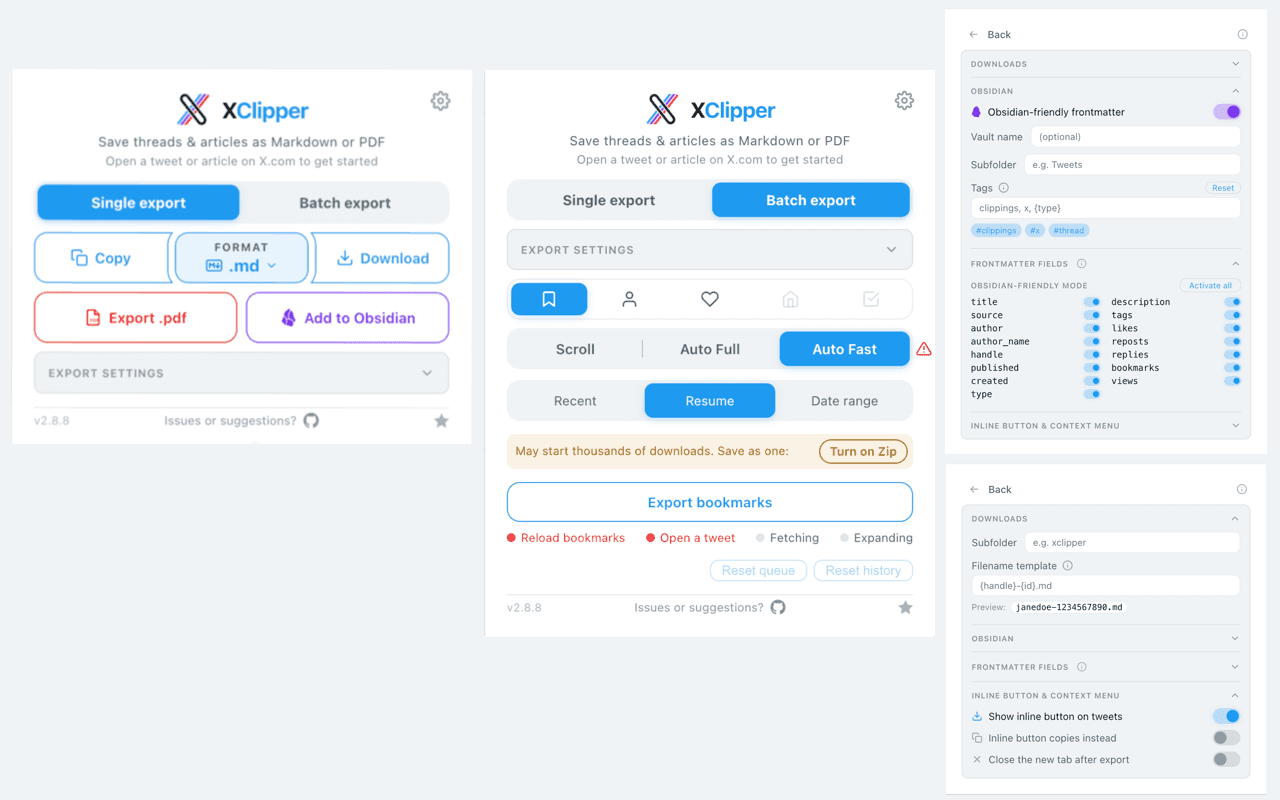
Click the XClipper icon, choose a format, then Download or Copy — or pick Export .pdf or Add to Obsidian. Per-export toggles for local media, engagement stats, metadata, and zip files sit right in the popup. The gear icon opens settings for filenames, Obsidian, and frontmatter fields.
Inline button on every tweet
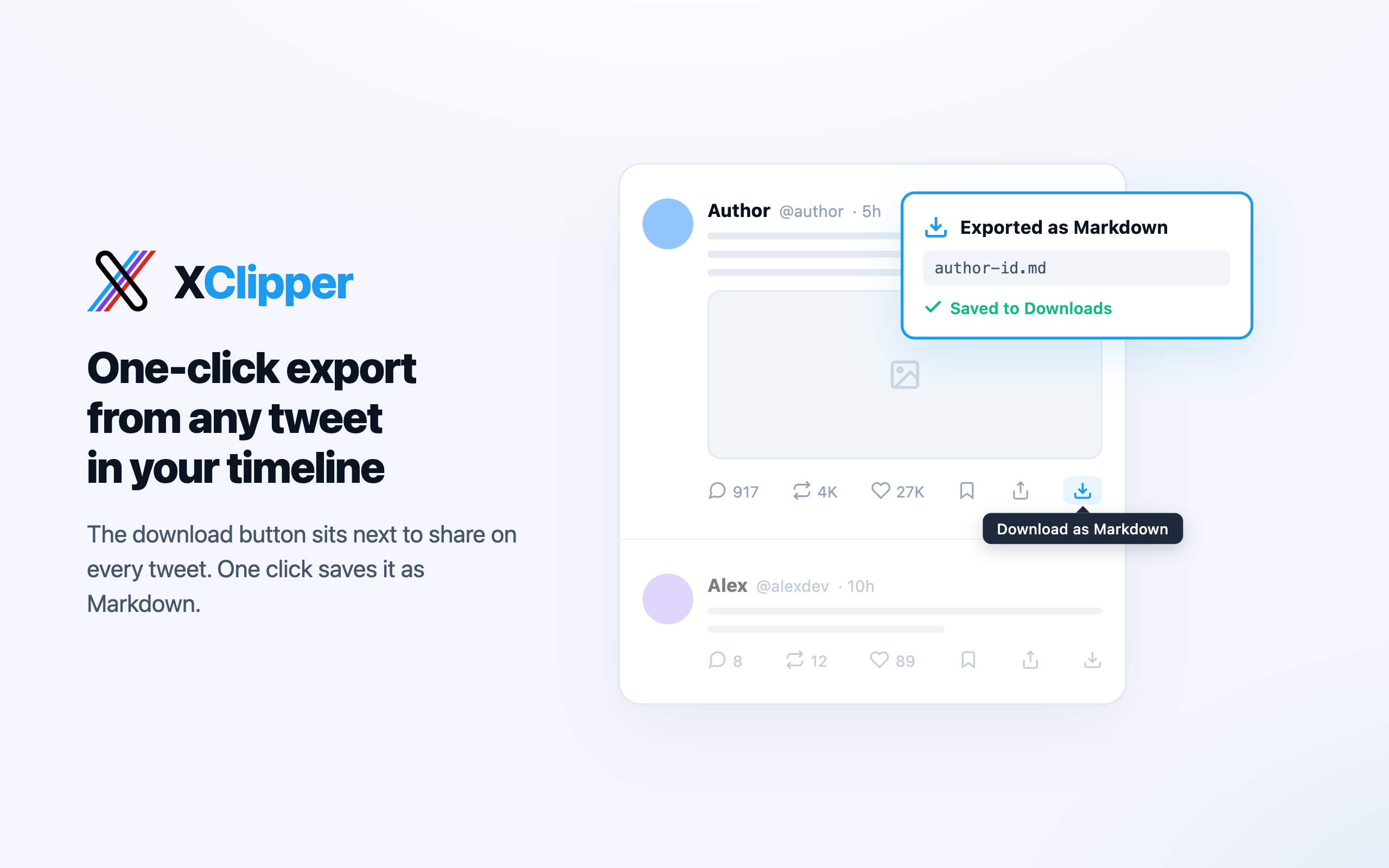
A download icon sits next to share on every tweet's action bar. One click opens the permalink and exports it. Shift- or Alt-click to export just that tweet without its thread.
Right-click anywhere
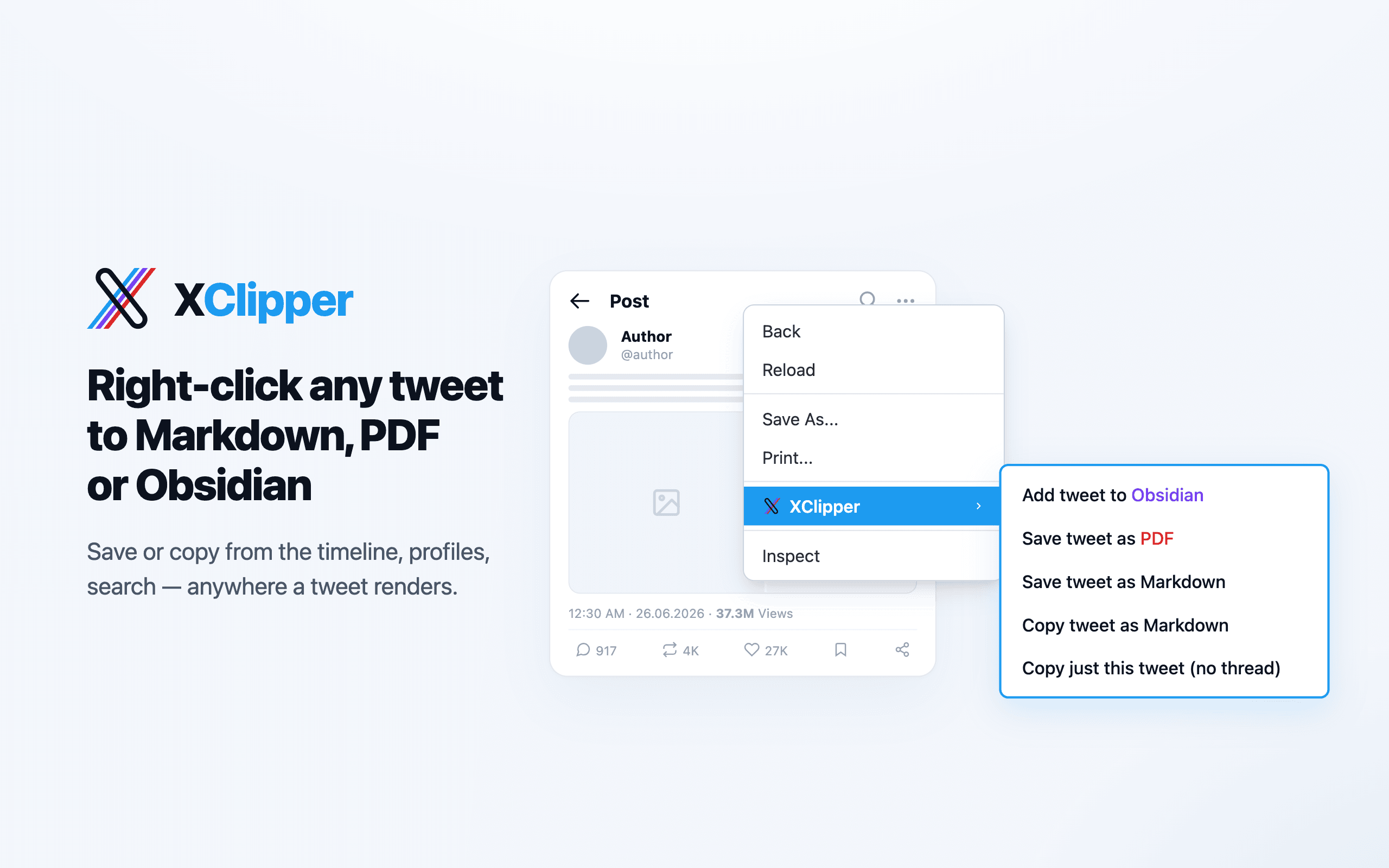
Right-click on a tweet — body, image, or timestamp — and pick Save tweet as Markdown, Copy tweet as Markdown, or Add tweet to Obsidian. XClipper figures out which tweet you meant.
Under the hood
All three entry points read X's DOM into one typed Content AST, then render to Markdown, PDF, or an Obsidian handoff. Format selectors live in one place, so an X redesign is a small patch.
FAQ
About XClipper
What is XClipper?
XClipper is a free browser extension for Chrome and Firefox that saves content from X (formerly Twitter) as files. It exports single posts, full threads, and long-form X Articles to Markdown, PDF, HTML, JSON, TXT, or CSV, or sends them to Obsidian. It can also batch-export your Bookmarks, your Likes, a Profile, your home Timeline, or a hand-picked selection of posts.
Which browsers does XClipper support?
XClipper runs in desktop Google Chrome and in Chromium-based browsers such as Microsoft Edge, Brave, Vivaldi, and Arc, which all install it from the Chrome Web Store. It also runs in Firefox 128 or later, installed from Firefox Add-ons.
How do I export my X (Twitter) bookmarks?
Open x.com while logged in, click the XClipper icon, and switch to the Batch export tab. Choose Bookmarks (the popup opens your Bookmarks page if you aren't on it), pick a format and the Files option (One per post, One for all, or Both), then press Export. The default Scroll engine saves the bookmarks that load as you scroll; the optional Auto Full and Auto Fast engines fetch them without scrolling.
Can I save a whole Twitter thread as a PDF?
Yes. Open the thread on x.com and choose Export .pdf. XClipper rebuilds the thread from the author's own posts in order, leaving out other people's replies, keeps quoted posts, images, and polls, and prints the result through your browser's own print engine, so the PDF has selectable text and clickable links.
Which formats work for batch export?
Markdown, HTML, JSON, TXT, and CSV. PDF is available for single posts, threads, and articles, but not for batch jobs. A batch can write one file per post, one file for all, or both, and can pack everything into a single .zip.
Do I need an X API key, account, or password?
You don't need an X API key, a developer account, or an XClipper account, and XClipper never asks for your password. It works on the x.com pages you can already see, so exporting your Bookmarks or Likes requires being logged in to X in your browser. The optional Auto Full and Auto Fast engines reuse that existing session through a permission you grant when you turn them on.
Where is my data processed and stored?
In your browser. XClipper reads posts from x.com (the page you're viewing, or X's own data endpoints when you use Auto Full or Auto Fast), converts them locally, and saves the result to your Downloads folder or clipboard, or hands it to the Obsidian app on your device. The extension has no server, analytics, or telemetry, and doesn't send your content anywhere else.
How many posts can I export at once?
Scroll exports every post that loads as you scroll. Auto Full exports about 150 posts per run with full threads before X's rate limit kicks in; Auto Fast skips thread expansion to reach about 3,000 posts per run, while still expanding X Articles and replies to other people. When X pushes back, both engines stop and keep your place, so you can wait about 15 minutes and run again to continue. Auto Full and Auto Fast cover Bookmarks, Profile, and Likes; Timeline and Selection use Scroll. Video is saved at up to 720p.
Is XClipper free and open source?
It's free for personal and other noncommercial use. The source code is public on GitHub under the PolyForm Noncommercial License 1.0.0, which makes it source-available rather than OSI open source. Selling it or building it into a paid product requires a commercial license from the author.
Start clipping in under a minute.
Install from the Chrome Web Store or Firefox Add-ons. Open any tweet or article on x.com. Hit Download. That's it.